


To make a payment, you’ll need a wallet containing Toncoin (TON) and enough funds to cover the network fee.
You can use Tonkeeper, Wallet in Telegram, or any other wallet that supports the TON network. The instructions below use Wallet in Telegram as an example.
Don’t have TON or a crypto wallet yet?
Start with our guide to paying with cryptocurrency. It explains how to choose a wallet, buy cryptocurrency, and get everything ready for payment.
If you use Wallet in Telegram: Toncoin may currently appear as Gram (GRAM), while TON Wallet may be shown as DeFi Account. This is the same asset on the TON network, so you do not need to exchange or convert TON into GRAM.
On the payment page, select TON.
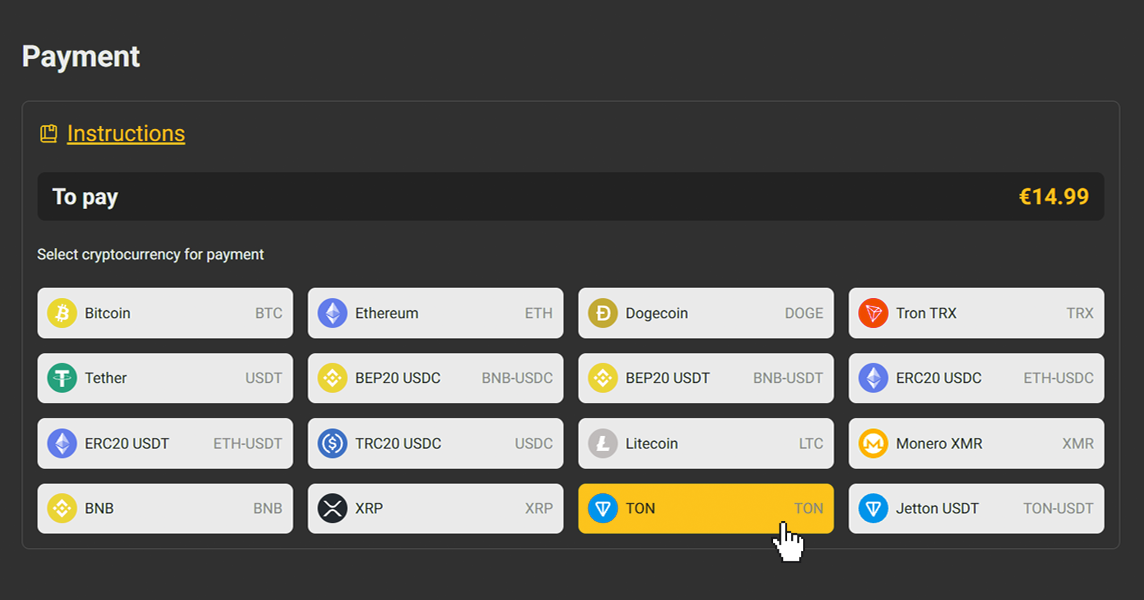
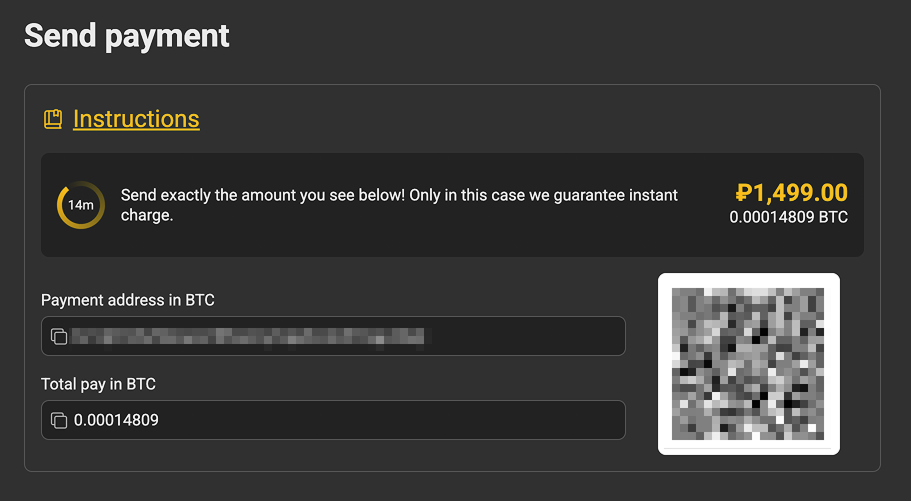
Once you select TON, the payment details will appear.
On the payment page, you will see:
Send the EXACT AMOUNT shown in the Total pay in TON field.
For example, if the page shows 9.556125 TON, send exactly 9.556125 TON. Do not round the amount.
The full amount shown under Total pay in TON must arrive at the payment address. Before confirming the transfer, check whether your wallet or exchange deducts the transaction fee from the amount being sent.
If the payment page is open on a computer, you can scan the QR code with your phone. If you are paying from the same phone, it may be easier to copy the address instead.
In either case, double-check both the address and the amount before sending the payment.
Note: The Wallet interface has changed. In the current version, TON Wallet is called DeFi Account, and TON may appear as Gram (GRAM).
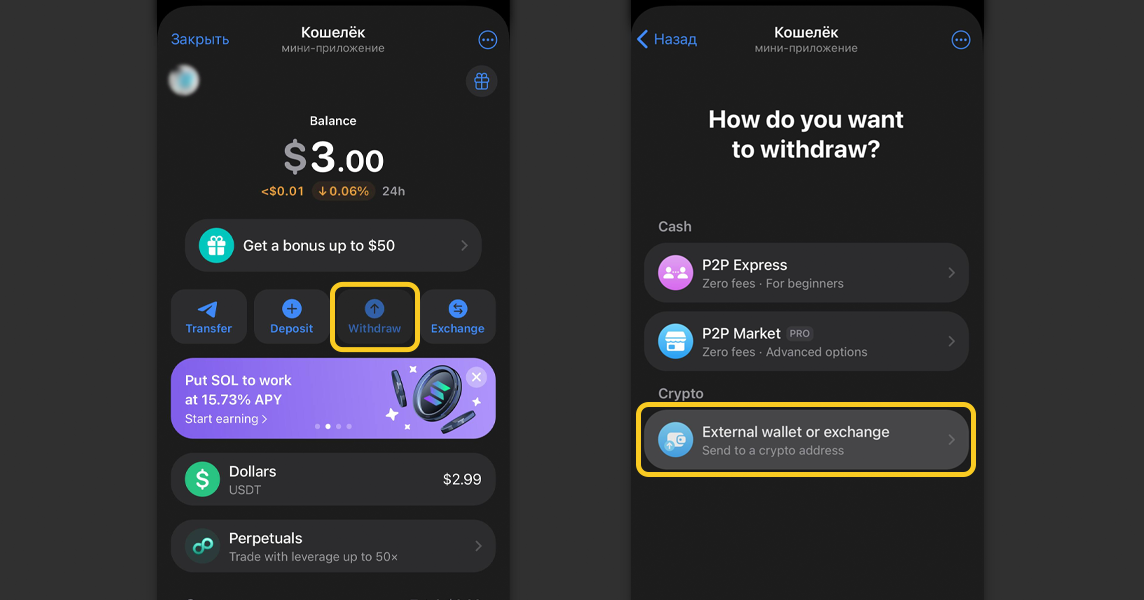
Open Wallet and go to the wallet containing your TON/GRAM.
Tap Withdraw.
Then select:
External Wallet — Send to a TON address
Paste the Payment address in TON that you copied from the payment page and enter the amount shown under Total pay in TON.
Before confirming, compare the address and amount with the details shown on the payment page.
Open the transfer function, usually called Send.
Paste the address from the payment page and enter the exact amount shown under Total pay in TON.
If your wallet or exchange asks you to select a network, choose TON.
Before sending the payment, check:
If everything matches the details shown on the payment page, confirm the transaction.
Once the transaction has been confirmed by the network, the payment is usually credited automatically. This may take a few minutes.
If you have already sent the TON, do not send the payment again just because it has not appeared on the payment page yet.
First, open the transaction in your wallet and check its status.
If the transaction has been confirmed but the payment has still not been credited after 10–15 minutes, contact support:
Include the Transaction ID (TXID) in your message. This allows the transaction to be located on the blockchain and its status to be checked.
Never share your wallet’s Recovery Phrase / Seed Phrase with anyone. It is not required to make a payment, and support should never ask you for it.
Always check:
Be cautious of suspicious links or pages asking you to enter your recovery phrase or to “activate”, “exchange”, or “convert TON to GRAM”.
If you have already sent the TON, do not send the payment again just because it has not appeared on the payment page yet.
First, open the transaction in your wallet and check its status.
If the transaction has been confirmed but the payment has still not been credited after 10–15 minutes, contact support:
Include the Transaction ID (TXID) in your message. This allows the transaction to be located on the blockchain and its status to be checked.
Do not send an additional payment at random in an attempt to correct it.
Save the TXID of the transaction you have already sent and contact support.
Support will check the payment and advise you on what to do next.
Always check the full address before sending a transaction.
Once a blockchain transaction has been confirmed, it cannot simply be cancelled. If the TON has already been sent to the wrong address, contact the support team of the wallet or service you used to make the transfer.
Recovery of funds in this situation is not guaranteed.
A TON network fee is charged for the transfer. Your wallet will show the fee before you confirm the transaction.
The full amount shown under Total pay in TON must arrive at the payment address. Before sending the payment, check how your wallet or exchange handles transaction fees and whether the fee is deducted from the amount being sent.
Do not split the payment between different cryptocurrencies or send several separate transactions instead of one unless the payment page specifically offers this option.
If you have already sent only part of the amount or made several transfers, do not try to correct the payment by sending additional transactions yourself. Save the TXIDs of all transactions and contact support.