AI Breast Guide: How to Generate Perfect Breasts in NSFW Art (2025)

Improve breasts on your generations with this guide! Hi friends! Today’s mini-guide is dedicated to female breasts:we will understand how to correctly set the breast size in Prompt and make it always turn out great, let’s go! Before we start, I suggest you read our beginner’s guide. If you’re already up to speed – then skip this step. Size Words Here are some hint words for size management that may help you: tinysmallmediumbig large I also always add breasts to the size, like medium breasts. Today we have Ashley visiting us and she is walking naked in a night park. Let’s take a look at her and see how her breasts change in size depending on the prompt instagram photo, photo of 19 y.o Ashley, black hair, narrow waist, naked, [SIZE] breasts, sexy, make up, night park, garlands, long hair, light smile, film, photography, soft, focus, light smirk, sexy expression From left to right, we add each word from the list above to the query in place of SIZE. If we leave just “breasts” without size, they are medium: From left to right, we add each word from the list above to the query in place of SIZE. I also add nipples to the prompt to be sure.You can adjust the color and size of the nipples, for example pink or brown, but I don’t recommend it, as the neural network reacts very keenly in general to colors in the prompt. You can also generate different breast shapes in the same way: saggytight You can also use different poses, but it’s better to ask LoRA for help, about them below: squeeze boobs together Here are examples of useful LoRAs for creative generation that may inspire you (just type the name into PornWorks search): nipple tape breasts out fashion clothing wetshirtxl nipple piercing flashing tits So there you go, hopefully it was helpful and now your boobs will be cooler! (possibly literally including) Share your masterpieces in the wonderful PornWorks community! 💝
Real Porn XL Model: Free NSFW AI Generator for Ultra-Realistic Art

Our best NSFW model Real Porn is available on CivitAI! Real Porn is a model from PornWorks designed to maximize realism The latest version is always available for free on PornWorks AI – best nsfw neural generator! Real Porn is designed for high-quality photorealistic porn with high detail. We have done a lot of work to create a model that follows the hint perfectly, producing the highest quality NSFW output images. More on CIVITAI 👈 Don’t forget to turn off the NSFW filters on the site. Make the most of your model and feel free to share your creations with the PornWorks community!
Our new own XL model for image generation – Real Porn! (2025 Review)

Our new own XL model for image generation! Meet Real Porn! This is the best model for image generation. And it’s already available on PornWorks AI! The main features are simple prompts and high-quality porn. Just the way we like it. The model also has great details, just take a look! Real Porn is only available on PornWorks for now, but will soon be available on CivitAI for anyone to download. Share your hot creations on Real Porn in our community! If youre already tested it, let our know your impressions! Have fun generating! Best regards, The PornWorks AI Team 💕
LoRA vs. Templates: Wie man sie für die KI-Porno-Generierung verwendet (2025 Leitfaden)
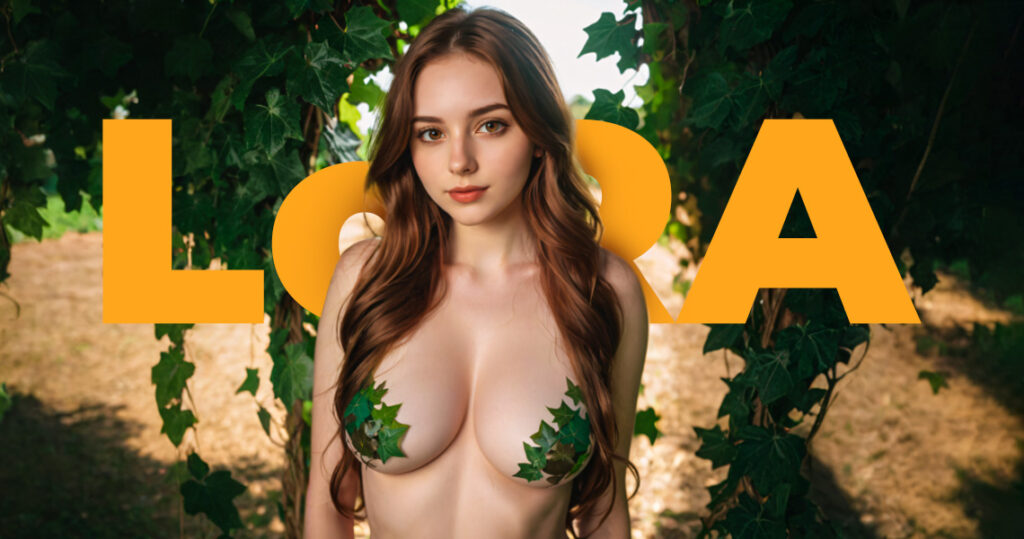
LoRA oder Schablonen: ein detaillierter Leitfaden mit Beispielen Hallo! In diesem Artikel gehen wir darauf ein, was LoRA-Modelle (oder Schablonen) sind, warum sie gebraucht werden und wie man sie benutzt... Wenn Sie den einführenden Leitfaden zum PornWorks AI-Generator verpasst haben, empfehle ich Ihnen dringend, ihn zu lesen. Was ist LoRA überhaupt? Vorlagen (LoRa) - sind kleine Ergänzungen, die zu den Modellen hinzugefügt werden. Sie nehmen Änderungen an bestimmten Teilen des Bildes oder ihres Stils vor und können als eine kleine Version von benutzerdefinierten Modellen betrachtet werden. Nur dass sie nicht allein verwendet werden können und man das richtige Modell für sich auswählen und anpassen muss. LoRa's können sowohl den Stil eines Bildes verändern als auch dabei helfen, bestimmte Charaktere zu kreieren. Wenn Ihnen die Ideen ausgehen, schauen Sie auf CivitAI (eine Seite mit allen Arten von LoRAs) oder in unserem Discord nach, wo wir verschiedene nützliche Muster posten, die auf PW verfügbar sind. PW hat fast alle Modelle von CivitAI, die nicht für den Gebrauch verboten sind. Sie werden im Laufe der Zeit hochgeladen, also wenn Sie nicht das Modell, das Sie auf der Website haben wollen und es wurde vor kurzem veröffentlicht, gedulden Sie sich, es sollte bald auf unseren Generator hochgeladen werden. Wichtig: Es gibt SD 1.5 Modelle und das Nude People (SDXL) Modell auf PornWorks AI. Sie haben völlig unterschiedliche Architekturen, also beachten Sie bitte, dass Sie nicht in der Lage sein werden, LoRA für die Version 1.5 zur Generation des SDXL-Modells hinzuzufügen. Wenn Sie ein bestimmtes Modell auf PW auswählen, werden Ihnen nur passende Vorlagen für Ihre Architektur angezeigt. Welche Arten von LoRAs gibt es? Templates gibt es in ganz verschiedenen Varianten und für alle Zwecke sind die gängigsten: Stilistische LoRAs Wie der Name schon sagt, handelt es sich um Vorlagen, die Ihnen helfen, einen bestimmten Stil auf einem Bild zu erreichen, von einem Kunststil (wie Aquarell) bis hin zu bestimmten Themenstilen (wie Feuer-/Eis-/Neonstile). Es ist einfacher, dies anhand von Beispielen zu erläutern. Lassen Sie uns etwas auf Nude People Model generieren: instagram photo, photo of 19 y.o redhead Mary, medium breasts, nipples, under water, nudity, naked, vagina, pussy, solo Um ein LoRA hinzuzufügen, müssen Sie es in der Registerkarte "Templates" auswählen und auf "Add" klicken LoRAs in der Aufforderung sind wie folgt: Wenn Sie ein LoRA zu einer PW-Anfrage hinzufügen, ist der Standardwert für die Gewichtung 0,5. Zu einigen Mustern werden auch Auslösewörter hinzugefügt. Sie werden der Abfrage automatisch hinzugefügt. Fügen wir Neon UV Lora zu dieser Abfrage mit der Standardgewichtung hinzu: Instagram-Foto, Foto der 19-jährigen rothaarigen Mary, mittlere Brüste, Brustwarzen, unter Wasser, Nacktheit, nackt, Vagina, Muschi, solo, PENeonUV, Schwarzlicht, Neon, Selbst bei einer Gewichtung von 0,5 können Sie den Unterschied mit bloßem Auge erkennen: Das Bild ist dunkler und etwas gesättigter: Wie Sie bereits festgestellt haben, wirken sich stilistische LoRAs in den meisten Fällen nicht auf das Wesen des Bildes aus, sondern auf seine Gestaltung. Vergleichen wir nun alle drei Bilder: Ein weiteres Beispiel mit der gleichen Vorlage: Foto der 19-jährigen blonden Chloe, Ganzkörper, schönes Gesicht, große Brüste, langes Haar, Brustwarzen, Solo, leichtes Lächeln Foto der 19-jährigen Chloe, Ganzkörper, schönes Gesicht, große Brüste, langes Haar, Solo, leichtes Lächeln, PENeonUV, Schwarzlicht, Neon, Hier ist es offensichtlicher. Lasst uns weitermachen. Versuchen wir es mit einer anderen LoRA-Startaufforderung: Foto der 19-jährigen blonden Chloe, große Brüste, lange Haare, Nippel, solo, leichtes Lächeln Foto der 19-jährigen blonden Chloe, große Brüste, lange Haare, Nippel, solo, leichtes Lächeln, Feuer, Element, zusammengesetzt, aus, Elementen, Ein kleiner Rat: Scheuen Sie sich nicht, mit dem Gewicht der LoRA zu spielen. Wenn Sie das Ergebnis der Vorlage auf dem Bild nicht sehen, erhöhen Sie die Gewichtung. Stellen Sie aber nicht mehr als 3 Gewichte ein, sonst erhalten Sie minderwertige Generationen. Ich habe die Gewichtung auf 2 erhöht. Schauen wir uns das Ergebnis an und vergleichen es. Und eine weitere LoRA, um den Punkt zu veranschaulichen. Dieselbe Abfrage, nur eine Vorlage hinzugefügt: Foto von Chloe, 19 Jahre alt, vollschlank, schönes Gesicht, große Brüste, lange Haare, Brustwarzen, solo, leichtes Lächeln ral-dissolve, ice, Ich denke, damit ist es klar. Kommen wir nun zur nächsten Kategorie. LoRAs für verschiedene Posen Leider können neuronale Netze noch nicht alles abbilden, was wir uns vorstellen können. Posing ist wahrscheinlich die häufigste Anwendung von LoRA. Startaufforderung: Instagram-Foto, 19-jährige Nancy, große Brüste, Dekolleté, Bademantel, gut gebaut, blasse Haut, (Lächeln:.4), harte Schatten, Solo, nächtlicher Schneewald, Dampf Bringen wir sie dazu, ihren Bademantel aufzuknöpfen und uns das beste Stück zu zeigen. Wir werden es mit Hilfe von LoRA Shirtspread tunEs gibt ähnliche für verschiedene Arten von Kleidung (Rock, T-Shirt, etc.) auf den Screenshots. Instagram-Foto, 19 y.o. Nancy, lange braune Haare, große Brüste, Dekolleté, weißer Bademantel, gut gebaut, blasse Haut, (smile:.4), harte Schatten, solo, Nachtschneewald, Dampf, shirtspread, Das ist einfach! Aus diesem Grund sind Vorlagen ein sehr nützliches Werkzeug. Lassen Sie uns die gleiche Abfrage und LoRA für die Missionarsstellung Instagram Foto, 19 y.o. Nancy, lange braune Haare, große Brüste, gut gebaut, blasse Haut, (smile:.4), harte Schatten, Solo, Dampf, pm1s, Mädchen, pov, Penis, Und noch eine Pose LoRA: instagram photo, 19 y.o. Nancy, lange braune Haare, große Brüste, gut gebaut, blasse Haut, (smile:.4), harte Schatten, solo, Dampf, pm1s, Mädchen, pov, Penis, Vergiss nicht, deine Lieblings-LoRAs zu deinen Favoriten hinzuzufügen! Klicke einfach auf den Stern oben rechts! Weiter geht es mit der nächsten Kategorie LoRAs für Kleidung, Frisuren, etc. Die Vorlagen in dieser Kategorie werden benötigt, um euren Charakteren einen bestimmten Stil oder eine bestimmte Art von Kleidung, Frisuren usw. zu verpassen. Nehmen wir die bereits bekannte Aufforderung aus den vorherigen Beispielen und mischen wir diese LoRA dazu: Instagram-Foto, 19-jährige Nancy, lange braune Haare, große Brüste, gut gebaut, blasse Haut, (smile:.4), harte Schatten, solo, Ranken, Nehmen wir etwas Ungewöhnliches: Instagram-Foto, Nancy, 19 Jahre, lange braune Haare, große Brüste, gut gebaut, blasse Haut, (smile:.4), harte Schatten, solo, flüssig, FARBE Kleid, Denken Sie daran, dass alles was ich zeige nur Beispiele sind. Sie können alle Vorlagen verwenden, die Sie wollen. Ich empfehle nicht mehr als 3-4 LoRA in einer Generation zu verwenden. Die Frage nach dem "Kleid" hat mir gezeigt
AI Porn for Beginners: How to Generate NSFW Art with PornWorks AI (2025)

Beginner’s guide to generate Ai porn The modern world is developing at an incredible speed, and technology is not lagging behind. Artificial Intelligence (AI) has become an integral part of our lives, infiltrating every aspect of our lives. One of the most exciting applications of AI is image generation. If you haven’t yet encountered image generation using neural networks, this guide will be a great place to start. But even if you’ve already taken your first steps or consider yourself a power user, this guide will help you deepen your knowledge and master the art of AI image generation using PornWorks AI We’ll cover what prompts and weights are, what models and loras (templates) are, and learn what each generation parameter is responsible for. In the end, you’ll be able to create unique and high-quality images that will impress you and the people you know. Let’s go! As you’ve already realized, we’re going to talk about the PW generator in today’s article. There are two versions on the site, the first and the second. Functionally they are almost no different, but the second version is more clear and more elaborate, so we will work with it. If you have the first version open, just click on this button at the top of the screen: Now that you have the second version open, we can start creating images! Porn AI Generator The generator uses the Stable Diffusion neural network. It allows you to use models and LoRA, unlike Midjourney or other generators, as well as more flexibly customize the generation parameters. The generator is divided into 4 components: Prompt Model Templates Settings We will not consider the “Characters” function in this article, but we will definitely touch upon it in the next ones. Let’s dwell on the others in more detail. Prompt Prompt – our text request. In this window we write what we want to see on the image.The neural network reads your request and creates an image based on it. There are a few rules that you should follow when creating our text query, this will help you achieve more accurate and creative results in your work: The generation goes from the first left word to the last right word. In turn, the further to the left a word is in the query, the more influence it has.Try to follow the following formula: “object > description of appearance and attributes > background, additional details“. Also use the following hints(and cheat sheets in the images below):Shooting angles / type of shot > close-upLighting > cinematic lightingArtistic Styles / Artist Style / Aesthetics > digital paintingColor scheme > bright colorsEnvironment > in the woodsQuality descriptors > best quality, masterpiece You can increase the weight of any word by putting it in brackets. So, its weight will increase by 10% and become 1,1. If you put it in double brackets, it will increase by 1.21 and so on. You can specify the exact weight in the format (any word:1.8). Now the construct any word has a weight of 1.8.I don’t recommend putting too large a value to avoid artifacts, about 0.5 to 2 is our range. If you are creating an anime style image, avoid the words “realistic”, “photography” and the like. This works the other way around as well. Working with anime models is also characterized by the following words “enhancers” in the prompt: masterpiece, best quality, and similar.Study the successful works of the community, and your generations will get better and better every time! We can talk about prompting for a long time, but these are the most basic rules you should know and use. Let’s try right now to create an image based on the prompts. Let’s use the following prompt: girl, looking away, (blonde hair), naked, medium breasts, cinematic lighting, digital painting, bright colors, forest, best quality, masterpiece The model will be Nude People (SDXL). These are the results: Add “fullbody” to the query: girl, fullbody, (blonde hair), naked, medium breasts, cinematic lighting, digital painting, bright colors, forest, best quality, masterpiece Of course, I had to experiment with the place of “fullbody” in the prompt. By experience I can say that full-body images turn out better in vertical resolution. Let’s try a slightly more complicated request: beautiful young girl, well-built, naked, brown hair, blue eyes, red lips, make up, nipples, manicure, charm, smiling, towel, onsen, night japan Not changed settings. Let’s change the color of the eyes and increase the size of the breasts a little bit: beautiful young girl, well-built, medium breasts, naked, brown hair, green eyes, red lips, make up, nipples, manicure, charm, smiling, towel, onsen, night japan I think we’re done with the prompt. Let’s move on. Models tab What is a model?Models are control files, which are pre-trained neural connections designed to generate images of a general or specific genre.Our past generations are based on the Nude People (SDXL) model. Now it is the most perfect model for realism and not only. But there are other models that are customized for other purposes. There are 15 models available on PornWorks right now.Try each one and find one close to your style! Let’s edit our last prompt a little bit and create anime style art. I’m using the Anime v2.5 model. The prompt is slightly different for each model. For example, in anime models we use “1girl, 1boy, 1woman, 1man” to describe gender instead of “girl or man”. Also for square resolution we use “solo” to get one girl in the image. And don’t forget about the quality descriptors at the beginning of the prompt: “masterpiece, best quality, high quality”. Yes, there is a problem with the fingers right now. But a little later I’ll give you tips on how to solve it.Let’s try the revAnime model: I think we’re clear on the models. Let’s move on. Templates tab What are LoRAs and what are they used for?LoRa’s can both make changes to the style of an image and help you create certain
Wie man mit PornWorks AI ein Themenmädchen erstellt
If you’re into a specific type of aesthetic, the PornWorks AI tool can be used to create a girl around that theme to fulfill your wildest fantasies. All you need to do is a bit of prompt engineering and clever wording. In this specific guide, we’ll be showing you how to create a variety of images by using a cyberpunk world as our inspiration. Before generating your prompts, you need to be sure of what you’d like to create. If its cyberpunk, you need to think about what fits into that world. Cool neon lights, tight leather lingerie or clothing, and how you want the girl to look. For our prompts, Lucy from the Cyberpunk Edgerunners Anime was a good muse. However, we didn’t use any references to her in our prompts. We did this exercise to show the extreme potential of the PornWorks AI, even without a direct reference to draw inspiration from. Steps To Follow Using The Right Keywords Unlike most other scenarios, using the PornWorks AI tool without any reference is more of a trial and error affair. However, the uniqueness of your results will be more satisfying. If we want a Cyberpunk girl, it’s best to think of keywords that align, including the pose of your muse. For our first attempt, we chose the following keywords in our prompt: “an image of a sexy woman in a cyberpunk city, raining, best quality, masterpiece, finely detailed, Japanese features, HD, looking at camera, white hair” These were the results that were generated when using this prompt combined with a CFG of 15 and steps at 25. Next, if we want to make her look more refined and akin to Lucy from Cyberpunk, we can try using more prompts that relate to the image we have in our heads. Negative prompts can come in handy here. As an example, let’s say we want to generate an image of Lucy receiving a creampie with her legs spread out. In this situation, it’s best to use a list of good prompts that relate to the image. With Creampies, its best to let the Lora feature handle it to achieve a realistic result. Using Lora & Embeddings Here’s a list of the prompts we used to achieve the image below: “an image of a sexy woman, cyberpunk, best quality, masterpiece, finely detailed, Japanese features, HD, looking at camera, white hair, pixie cut, legs spread open, creampie, beautiful pussy completely visible with spread labia, ultra high resolution, ultra-detailed, cum coming out of vagina, ” Here are some of the negative prompts provided in addition to the default negative prompts: “from the back, doggystyle, bent over” Anime 2.5 Another dynamic shot we did with this character is in an anime format. When a character has a cyberpunk design, it’s nice to imagine the more colorful expressions that can exist from the Anime 2.5 model. Here, we thought it would be interesting to see how it compares to the default model. Here are the results: The image above was created with a CFG of 13, and the only change in prompts was our use of a new model. This shows just how dynamic you can get with the PornWorks tool. AI generations are usually down to how creative you want to get. The Anime 2.5 generation has a more expressive face, and it also has a visual intensity that outmatches realism. If this is the type of art style you prefer in a cyberpunk setting, this model is worth considering. Here are some more anime designs we were able to generate. We’ll specify the prompts used accordingly: “an image of a sexy woman, cyberpunk, best quality, masterpiece, finely detailed, Japanese features, HD, looking at camera, white hair, pixie cut, ultra high resolution, ultra-detailed, creampie, view from the back, perfect body, cute pussy, very slim waist, pov camera, cum dripping, ” Here are other images centered on a cyberpunk theme while using Anime 2.5 and Realistic V3 for the Model:
Wie man mit dem PornWorks AI Tool ein Monster Girl kreiert
The PornWorks tool is one of the most creative outlets you can find on the internet today. If you have any X-rated or NSFW ideas, there’s no better place to look. In order to unlock your creativity, we’ve made this guide as a way to inspire ideas on what you’d like to create. In today’s guide, you’ll learn how to create a monster girl while using this tool. A monster girl in typical anime media has the appearance of a “succubus” or she-devil, while sporting horns and a distinct color combination. That’s what we wanted to achieve with this design. To make that possible, we began with the usual first steps. How To Begin Using PornWorks AI Adjusting AI Attention To Keywords When you’re attempting to create an image that features a specific trait that you want to have as a ‘must,’ you should start using tags that are in a basic format of “(word:weight).” Here’s what we mean. In this monster girl image generation process, we needed to ensure that her skin was purple for some of the images. The only way to make that possible was by using this feature as follows: (purple skin:1.5). What this means is that the 1.5 is interpreted as 150% extra attention from the AI towards this keyword. Here’s the difference between two images we were able to create without the attention brackets, versus when it was utilized. For the images above, we used the following keywords: “image of a sexy woman, monster girl, horns, (purple skin:1.5), purple body, best quality, masterpiece, finely detail, HD, ultra-high resolution, ultra-detailed, perfect body, very slim waist, text_monster-girl, elf ears, cinematic lighting, concept art, sharp focus, succubus” The only difference between them is that the attention span feature was added to the “purple skin” prompt keyword. As we’ve highlighted in our tutorial for creating a themed girl, it’s important to include keywords that represent what you want to see in the image. However, if you have a lot of keywords included in the prompt, the AI may not pay attention to certain keywords in a significant way, and this can ruin the vision you have for an image you’re attempting to create. For a monster girl, we made sure to add attributes like horns, elf ears and also some “human” sexy features to ensure that she appeared hot, even with those fantasy features. Using Embeddings If you noticed the following in the keywords above “text_monster-girl,” that was an embedding. A feature that allows the AI to ensure that the image possesses certain attributes, even regardless of your pre-existing keywords. The monster girl embedding was necessary for the image we were trying to generate. Creating A Porn Scene With A Monster Girl The PornWorks AI tool is strong enough to do a lot of image processing, but converting the perfect type of scene from your head can be a bit difficult. That’s why it’s nice to have the AI attention features included. To create a porn scene using the tool, here are some keywords we used, and the results we were able to achieve: “image of a sexy woman, monster girl, horns, (purple skin:1.5), purple body, best quality, masterpiece, finely detail, HD, ultra high resolution, ultra-detailed, perfect body, very slim waist, text_monster-girl, elf ears, cinematic lighting, concept art, sharp focus, succubus, (((having sex with monsters:1.3))), (intercourse:1.3)” From the keywords above, you’ll notice that this is not the most intense porn scene you can find, but that can be adjusted depending on how much you increase the AI attention’s intensity. Playing around with this tool can give a scene more dept than normal. Also, with monster girls, using the Anime 2.5 Model makes a big difference for how expressive scenes appear. After all, anime is a medium where you’ll find all sorts of monster data to train on. Here are some results we got by increasing the “(((having sex with monsters:1.3))), (intercourse:1.3)” keyword intensities to 1.5, and using the Anime 2.5 model: Monster girls can come in all shapes and sizes, but be sure to reference this guide if you want to create a monster girl that accurately reflects the ideas in your head.
Wie man mit Pornworks realistische Bilder aus 2D-Zeichnungen generiert
How to use Pornworks To Generate Realistic Images From 2D Drawings In this guide, we’ll show you how the Pornworks.AI tool can help with bringing your favorite 2D characters to life! Follow the steps closely if you want to get the best possible results. Denoising works as a way to make an image appear very close to the reference, or highly deviated from the reference. In this case, you want a realistic version of your 2D character, so it’s best to use a lower Denoising strength. For example, if you want the image to match the outfit of your 2D character as close as possible, leave the Denoising strength on a figure like 4. If you’re looking for a more Cosplay type of aesthetic on the realistic version of a 2D character, it’s worth increasing the CFG slightly. By default, it should be on 7. You can turn that number up a slight bit. At 9, you’ll notice that the character looks more realistic, and her outfit looks like something that you can piece together in the real world. A higher CFG comes with a bigger chance of following your prompt, but it also affects how well the AI follows the reference you’ve used. Finding the perfect balance between CFG and Denoising is an important part to getting this right. In the example, we’ve used you’ll find that a Denoising of 4 combined with a CFG of 13 creates a perfectly clean version of the character, complete with a similar pose and outfit. This type of principle should be applied further if you want to ensure that your character matches in pose and aesthetic. If the character wears glasses, be sure to include “glasses” in your prompt if you want them to appear. On the other hand, you can add “glasses” in the negative prompt if you don’t want them to appear in there. For the example above, we included some specific details that made it possible for the character to closely match the image. First, we needed to make sure that it came out in a good quality. This step is helped by the Pornworks tool by default. You’ll notice that in the Negative Prompt section, there’s a list of words/attributes that are not considered when generating an image. This makes it easier to get something that looks natural. Next, the actual prompt. Here is the list of words added to the prompts in this article for a good image: “1girl, best quality, ultra-detailed, masterpiece, finely detail, highres, 8k wallpaper, glasses” the final word “glasses” is highly important for the girl here. The reference wears glasses, but if that word is not included, you might find a distorted version of her face where the AI can’t decide whether she should be wearing glasses or not. You can also do the opposite and add “glasses” to the negative prompt. That way, she can appear with a smoother look overall. Also, be sure to include details you’d like to see for your character in the prompt. A higher CFG will allow those details to be reflected in a much better way. Here are some examples of what you can achieve by inputting a good prompt combined with a reference. To top it off, a lower Denoising effect (4-6) combined with a slightly higher CFG (12+) will create an image that looks realistic, while still retaining the aesthetic of your 2D character. Be sure to experiment a bit, but know that applying the core principles explained here will save you a lot of time.
Wie man mit dem PornWorks AI Tool szenische Bilder erstellt
The PornWorks AI tool has the power to create the best AI girls you could ask for. But what if you wanted something that looked a bit more professional and scenic. It’s not enough for your model to be hot, she also needs to have a lot of depth to her photo. That’s where this guide comes in! We’ll show you how this tool can be utilized to make some of the best scenic imagery that you could possibly imagine. Creating A Scenic Image Inserting the Right Keywords Choosing keywords for a scenic image is down to what you want to see directly. Combine this with the AI attention feature – the one that allows you to use “(word:weight)” to create images, and you’re bound to generate some of the most eye-watering views ever seen. Check out this example of a woman on the beach: The keywords were as follows: “image of a woman relaxing on a beach, best quality, masterpiece, finely detail, HD, ultra high resolution, ultra-detailed, porn scene, sharp focus, (Haitian:1.5), (photoshoot:1.5), High quality camera, Braided hair” This image was generated with a lot of background detail, and part of the credit belongs to the Image Size feature of the PornWorks AI tool. This feature is best used when you want to generate an image with a lot of depth and background details. For this image, we selected the 1024 x 768 resolution. This gave us enough space on the image to generate a beach. Next, we tried the same principles for an image that looked like something straight out of a photoshoot. This is how the image appeared: Here are the keywords used: “image of 2 woman in a tropical setting, best quality, masterpiece, finely detail, HD, ultra high resolution, ultra-detailed, porn scene, sharp focus, (Hawaiian:1.5), (photoshoot:1.6), High quality camera, professional photo” We were able to get this image with two different angles of the same woman by manipulating the keywords in a special way. The resolution is also high, so the way she appears is quite rich and intense. For the image below, we wanted it to look like something straight out of a magazine, so we chose to use keywords that reflected that type of setting. Here is the image, and the keywords selected are below: These are the keywords used for this image: “image of a woman relaxing in a condo, best quality, masterpiece, finely detail, HD, ultra high resolution, ultra-detailed, porn scene, sharp focus, (Russian:1.5), (photoshoot:1.5), POV Camera, Vogue photoshoot”
Wie man mit dem PornWorks AI Tool Gesichter in Pornoszenen einfügt
Der Fantasie sind keine Grenzen gesetzt, wenn es um die Kreativität mit dem PornWorks AI-Tool geht. Wenn Sie nach einer Möglichkeit suchen, die Grenzen des Möglichen zu überschreiten, dann sind Sie hier genau richtig. Vorbei sind die Zeiten, in denen Sie ein Photoshop-Experte sein mussten, um das perfekte Bild zu gestalten. Jetzt haben wir das PornWorks-Tool, das alles möglich macht. Dieser Leitfaden soll neuen und fortgeschrittenen Benutzern bei dynamischeren Szenarien helfen. Wir werden insbesondere aufzeigen, wie das PornWorks AI-Tool verwendet werden kann, um Gesichter in Pornoszenen einzufügen. Wenn Sie eine bestimmte ethnische Zugehörigkeit oder eine bestimmte Gesichtshaltung im Sinn haben, können Sie lernen, wie Sie PornWorks verwenden, um sie in Ihre Lieblingsszenen zu integrieren. Schritte Jetzt, wo Sie eine Vorstellung von der Vorgehensweise haben, ist es an der Zeit, sich mit der Anpassung des Tools zu beschäftigen. Wenn Sie PornWorks AI für Gesichter verwenden, ist eines der ersten Dinge, mit denen Sie sich vertraut machen müssen, das In-Paint-Tool. Mit diesem Werkzeug können Sie sicherstellen, dass Ihre Bilder Ihrer Beschreibung entsprechen, ohne dass die ursprünglichen Eigenschaften Ihres Referenzbildes verloren gehen. In diesem Fall verwenden Sie das Werkzeug "In-Paint" über dem Gesicht des Pornomodells, das Sie in der Szene platzieren möchten. Jetzt ist es an der Zeit, sich mit den Anpassungen zu beschäftigen. Dieser Schritt ist sehr wichtig, also achten Sie darauf, dass Sie ihn aufmerksam verfolgen. Sie möchten, dass das von Ihnen gewählte Modell mit einem anderen Gesicht erscheint, daher sollten Sie sich als Erstes die Stärke der Entrauschung ansehen. Eine Stärke von 10 bedeutet, dass die PornWorks-KI das ursprüngliche Bild im Bereich "In-Paint" vollständig ersetzen wird, so dass es brauchbar ist. Der Wert muss jedoch nicht so hoch sein. Alles, was über einer 8 liegt, sollte vollkommen in Ordnung sein. Als Nächstes sollten Sie einen Blick auf die CFG-Stufen werfen. CFG gibt an, wie sehr es Ihrer Eingabeaufforderung folgt. Am besten ist es, einen guten Prompt zu haben, der ein paar Schlüsselwörter verwendet. Eine beliebte Liste beliebter Prompt-Schlüsselwörter enthält Folgendes: "1girl, best quality, ultra-detailed, masterpiece, finely detail, highres, 8k wallpaper" Am Ende dieser Liste von Schlüsselwörtern können Sie hinzufügen, wie das Mädchen aussehen soll. Auf diese Weise erscheint sie auf dem Bild mit einem Gesicht Ihrer Wahl. Ein perfekter Look und ein völlig klarer visueller Augenschmaus. Hier sind einige Beispiele für Bilder, die generiert wurden: In diesem ersten Beispiel haben wir das Gesicht des Pornostars mit dem Malwerkzeug übermalt und das Wort "Russisch" zur Eingabeaufforderung hinzugefügt, und es passt perfekt. Als Nächstes haben wir auch ein Bild mit einem dynamischeren Bild erzeugt. Ihr rechtes Bein ist hoch und sie hat einen Schwanz in sich. Im ersten generierten Bild fügten wir die zusätzliche Aufforderung "Koreanisch" hinzu und verwendeten kein Inpainting-Werkzeug. Stattdessen haben wir einige Anpassungen mit dem CFG und dem Denoising vorgenommen. Wir stellten den CFG-Wert auf 15 und das Rauschunterdrückungstool auf 6. Dadurch wurde ein Bild erzeugt, das scharf und detailliert aussah, aber dennoch die gleiche Pose wie das Originalbild aufwies. Wir haben auch die gleiche Eingabeaufforderung ausprobiert, aber das Wort "Koreanisch" durch das Wort "Russisch" ersetzt, und so sah unser Modell aus. Wir haben die CFG auf 16 erhöht und die Rauschunterdrückung auf 6 belassen. Wenn Sie eine andere Ästhetik für Ihr Bild wünschen, können Sie ein anderes Modell verwenden. Nein, nicht das Referenzbild, sondern das Modell aus dem Dropdown-Menü. Standardmäßig sind Sie auf Realistisch V3 eingestellt. Wechseln Sie zu einem anderen Modell und sehen Sie, wie das Bild aussieht. CFG 16, Rauschunterdrückung 6. In diesem Beispiel haben wir Grapefruit (Anime) verwendet: Das Modell Anime V2.5 kommt dem Prompt-Bild am nächsten und wirkt Wunder, sogar bis hin zur Zunge, die an ihren Titten leckt. Verwenden Sie dieses Modell, wenn Sie eine eher cartoonartige Stimmung für das generierte Bild wünschen. Wir haben diese Anime-V2.5-Version des Bildes mit einer CFG von 16 und einer Rauschunterdrückung von 6 erstellt, was ein schönes, ethnisches Gesicht ergibt.